 Visualizer


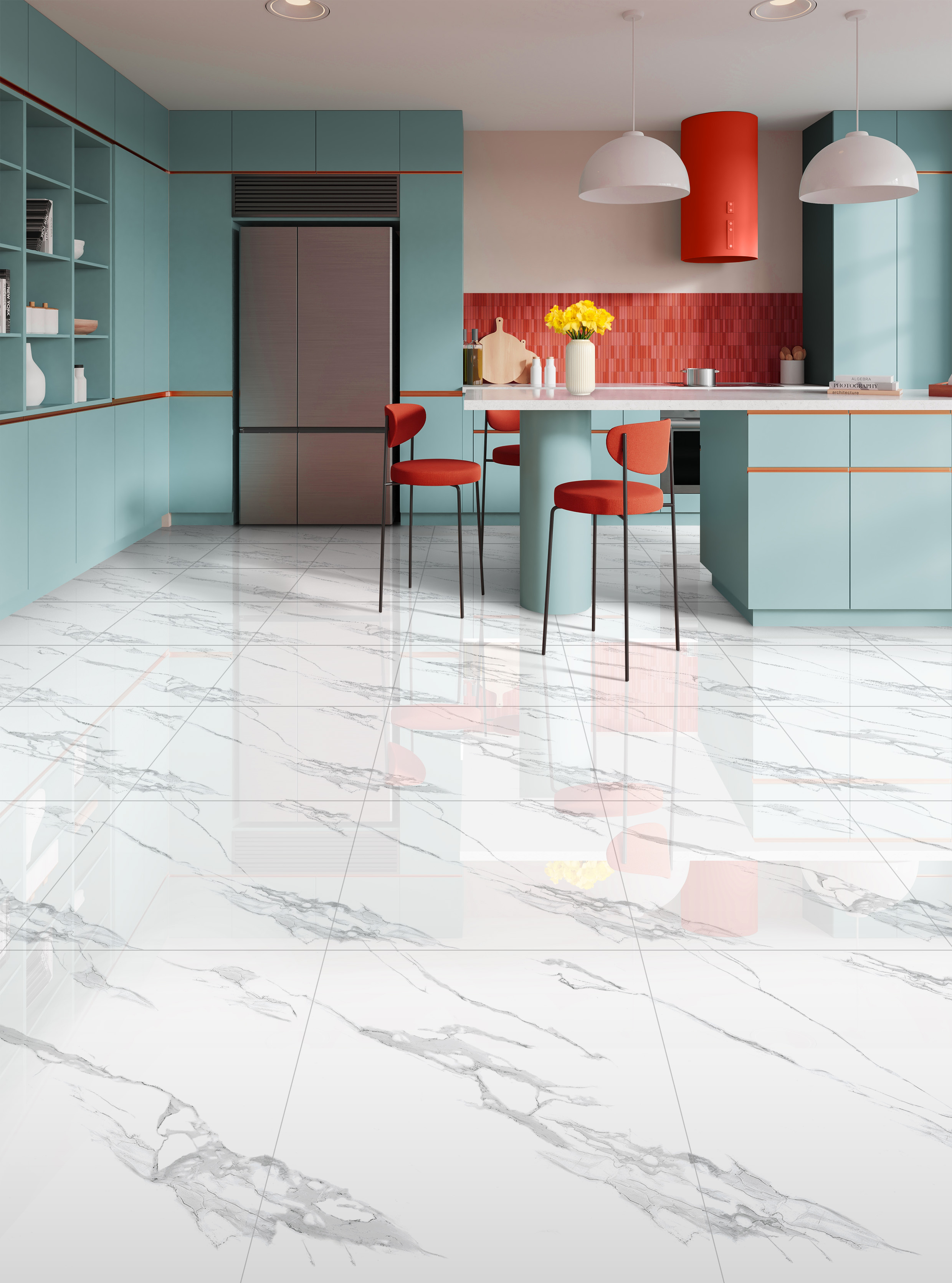
Already found an attractive granite pattern but still unsure whether it will suit your home interior? Instead of relying only on product photos, try a floor preview before buying to get an initial idea of how the pattern will look when applied in a room.
Through the MELIUZ Visualizer, you can try various granite options virtually, compare colors and patterns, and even use a photo of your own room as a reference. This can help narrow down your choices before viewing physical product samples.
Why Is It Important to Preview Flooring Before Buying?
Patterns Can Look Different When Applied Across a Larger Area
A single granite tile may look simple when viewed on its own. However, once the pattern is repeated across a larger floor area, its visual character may feel different.
A preview helps you understand how the pattern may appear at room scale, rather than judging it from just one tile.
Floor Colors Should Be Viewed Together with Walls and Furniture
Flooring is part of the overall interior composition. The colors of sofas, cabinets, walls, tables, and decorative elements should also be considered so the final result feels harmonious.
If you are still looking for several pattern options, you can explore the MELIUZ granite collection before trying them through the Visualizer.
Lighting Can Affect How Colors Appear
A room with plenty of natural light may create a different impression from a darker space. For this reason, lighting should also be considered when evaluating flooring colors.
Comparing Several Options Helps Reduce Uncertainty
Do not stop at just one pattern. Comparing two or three alternatives can help you see which option works best with the interior style and furniture you already have.
What Can You Evaluate Through a Floor Preview?
Color Compatibility with the Interior Concept
You can evaluate whether cream, white, grey, or other colors work well with your planned interior palette.
Pattern Scale and Intensity in the Room
Granite with strong veining will create a different visual effect from more subtle patterns. A preview can help show how dominant the pattern may appear across a larger area.
The Effect of Light or Dark Flooring
Try comparing light and dark options through the MELIUZ Visualizer. From there, you can see which visual character better supports the atmosphere you want to create.
Granite Suitability for the Room Function
In addition to pattern and color, always consider the product specifications and surface characteristics. Bedrooms, family rooms, bathrooms, and outdoor areas may have different requirements.
Use the MELIUZ Visualizer to Try Flooring Patterns in Your Room
Choose the Room You Want to Transform
Open the MELIUZ Visualizer, then select the area you want to use as a visualization reference.
Upload a Room Photo for a More Personal Preview
Want a more relevant visual reference? You can upload a photo of your own room to try different granite options in a setting that is closer to your actual home interior.
Try MELIUZ Products in the Room Setting
Before previewing, explore the MELIUZ Granite product collection. Save several patterns you like, then try applying them to the room through the Visualizer.
Compare Several Patterns Before Deciding
Try two or three candidates with different colors or pattern intensities. This way, your decision is not based only on product photos, but also on how the flooring works within an interior context.
Tips for Reading Visualizer Results More Accurately
Use the Visualization as a Reference, Not a Replacement for Physical Samples
The Visualizer provides an initial preview. However, colors on a screen can be affected by device settings and lighting.
For this reason, viewing the actual product is still recommended before making a final purchase.
Consider the Lighting in the Actual Room
Compare the preview with the real condition of your room. Consider the direction of natural light, lamp color, and whether the space is usually bright or dim.
Save the Name and Product Code
Once you have shortlisted several options, save the product name or code. You can return to the MELIUZ product page to check the pattern and size details before buying.
Compare the Pattern with the Room Size and Layout
Also consider the installation area, room shape, furniture placement, and how much of the floor will use the granite. A pattern that looks appealing in a small section may create a different impression when applied across a larger space.
What Should You Do After Finding the Right Pattern?
Check the Product Details and Size
Once you find a suitable pattern through the Visualizer, open the MELIUZ Granite collection and review the selected product details.
Pay attention to the size and surface characteristics to make sure they suit the installation area.
Calculate Your Needs with the MELIUZ Granite Calculator
Measure the room length and width, then use the MELIUZ Granite Calculator to help estimate the amount of material required.
This gives you an initial idea of the number of tiles or boxes needed before contacting a store.
Find the Nearest Store and Confirm Availability
After selecting a product and estimating the quantity, find a purchase location through the MELIUZ Store Locator.
Choose a convenient store, then confirm the product name, size, and required stock quantity before visiting.
Choose Your Flooring Pattern with More Confidence Using the MELIUZ Visualizer
Choosing flooring does not have to rely only on imagination. Start by exploring the MELIUZ granite collection, then try several options through the MELIUZ Visualizer.
Once you have found the pattern that feels right, continue by calculating your needs with the MELIUZ Granite Calculator, then find a purchase location using the MELIUZ Store Locator.
With this process, you can preview the flooring, compare options, estimate the quantity required, and prepare for purchasing in a more structured way.
FAQ
What is the function of the MELIUZ Visualizer?
The MELIUZ Visualizer provides a virtual preview of how different granite patterns may look when applied in a room.
Can I use a photo of my own room?
Yes. You can upload a photo of your own room to try granite options in a setting that better reflects your actual interior.
Will the Visualizer look exactly the same as the actual product?
Not always. The Visualizer should be used as a reference because colors may appear differently depending on your screen and lighting conditions. Viewing a physical sample is still recommended before making a final choice.
What should I do after finding a suitable pattern?
Check the details through the MELIUZ product collection, calculate your requirements using the MELIUZ Granite Calculator, then find a purchase location through the MELIUZ Store Locator.
Product Popular

LAVANYA WHITE

Matt Vesuvio Charcoal

MATTEO GRIS